
Pika
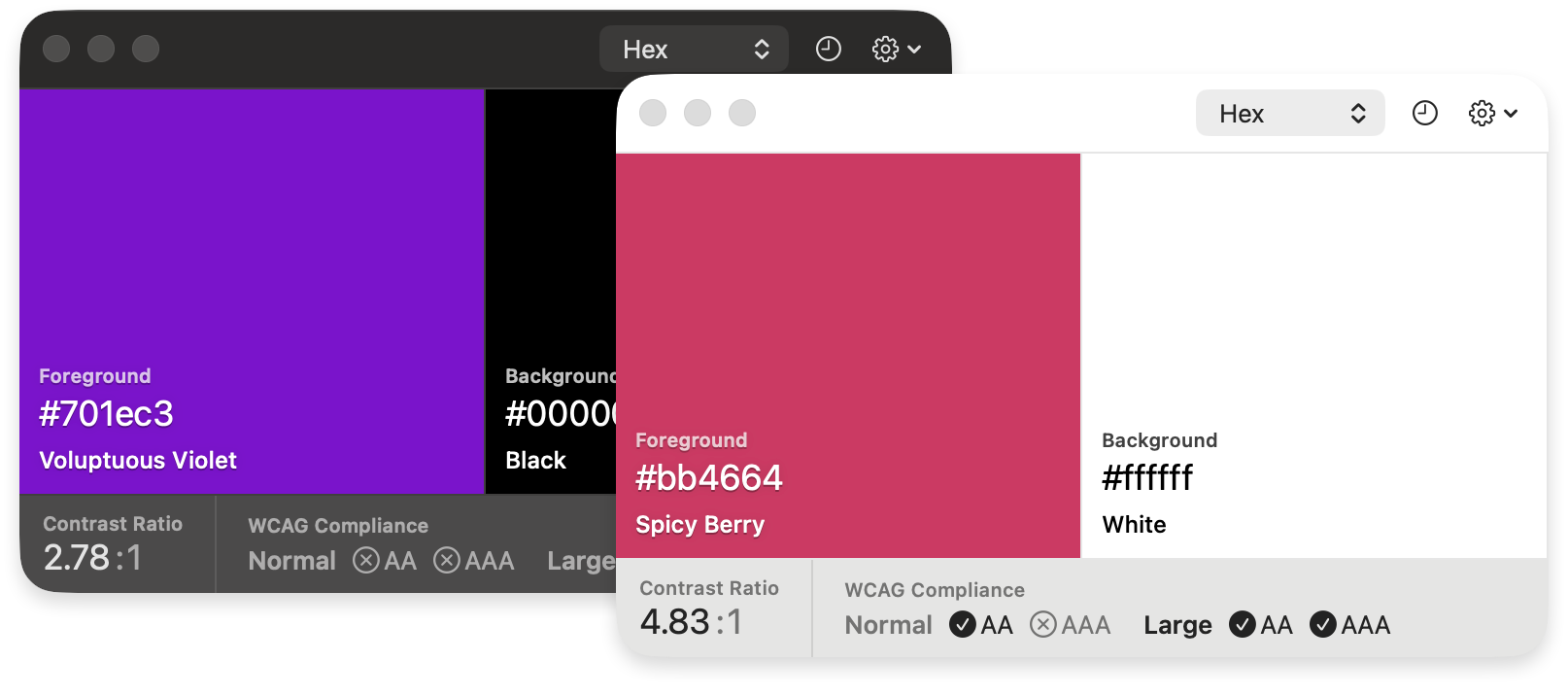
Pika (pronounced pi·kuh, like picker) is an easy to use, open-source, native colour picker for macOS. Pika makes it easy to quickly find colours onscreen, in the format you need, so you can get on with being a speedy, successful designer.
Download
Download the latest version of the app at:
superhighfives.com/pika
Or install with Homebrew:
brew install --cask pika
Features
- Quick color picking from anywhere on screen
- Multiple color format support (Hex, RGB, HSB, HSL, LAB, OpenGL)
- Keyboard shortcuts for efficiency
- URL scheme support for automation
- System color picker integration
- Undo/redo functionality
- Color swapping capabilities
Learn More
Learn more about the motivations behind the project, and the product vision.

Requirements
OS
- macOS Sequoia (Version 14) and newer
Keyboard Shortcuts
Pika supports the following keyboard shortcuts:
| Group | Shortcut | Action |
|---|---|---|
| Pick | ⌘ D | Pick foreground |
| Pick | ⌘ ⇧ D | Pick background |
| Copy | ⌘ C | Copy foreground |
| Copy | ⌘ ⇧ C | Copy background |
| System picker | ⌘ S | Use for foreground |
| System picker | ⌘ ⇧ S | Use for background |
| Change format | ⌘ 1 | Format Hex |
| Change format | ⌘ 2 | Format RGB |
| Change format | ⌘ 3 | Format HSB |
| Change format | ⌘ 4 | Format HSL |
| Change format | ⌘ 5 | Format LAB |
| Change format | ⌘ 6 | Format OpenGL |
| Change format | ⌘ 7 | Format OKLCH |
| Actions | X | Swap colors |
| Actions | H | Toggle history |
| Actions | C | Toggle compliance |
| Actions | P | Toggle colour preview |
| Actions | ⌘ Z | Undo last pick |
| Actions | ⌘ ⇧ Z | Redo last pick |
| Actions | ⌘ , | Preferences |
| Actions | ⌘ Q | Quit Pika |
URL Triggers
You can also trigger Pika using the pika:// URL scheme.
When picking or copying, you can append a format to the URL — <format> is one of hex, rgb, hsb, hsl, lab, opengl, or oklch. For example, pika://pick/foreground/hex.
| Group | URL | Action |
|---|---|---|
| Pick | pika://pick/foreground |
Pick foreground |
| Pick | pika://pick/background |
Pick background |
| Pick | pika://pick/contrast |
Pick foreground and background |
| Pick | pika://pick/foreground/<format> |
Pick foreground in a specific format |
| Pick | pika://pick/background/<format> |
Pick background in a specific format |
| System picker | pika://system/foreground |
Use for foreground |
| System picker | pika://system/background |
Use for background |
| Copy | pika://copy/foreground |
Copy foreground |
| Copy | pika://copy/background |
Copy background |
| Copy | pika://copy/foreground/<format> |
Copy foreground in a specific format |
| Copy | pika://copy/background/<format> |
Copy background in a specific format |
| Copy | pika://copy/text |
Copy all colours as text |
| Copy | pika://copy/json |
Copy all colours as JSON |
| Change format | pika://format/hex |
Format Hex |
| Change format | pika://format/rgb |
Format RGB |
| Change format | pika://format/hsb |
Format HSB |
| Change format | pika://format/hsl |
Format HSL |
| Change format | pika://format/lab |
Format LAB |
| Change format | pika://format/opengl |
Format OpenGL |
| Change format | pika://format/oklch |
Format OKLCH |
| Actions | pika://swap |
Swap colors |
| Actions | pika://undo |
Undo last pick |
| Actions | pika://redo |
Redo last pick |
| Set colour | pika://set/foreground/<hex> |
Set foreground |
| Set colour | pika://set/background/<hex> |
Set background |
| History | pika://history/show |
Show history |
| History | pika://history/hide |
Hide history |
| History | pika://history/toggle |
Toggle history |
| Compliance | pika://compliance/show |
Show compliance |
| Compliance | pika://compliance/hide |
Hide compliance |
| Compliance | pika://compliance/toggle |
Toggle compliance |
| Preview | pika://preview/show |
Show colour preview |
| Preview | pika://preview/hide |
Hide colour preview |
| Preview | pika://preview/toggle |
Toggle colour preview |
| Windows | pika://window/about |
Open About |
| Windows | pika://window/help |
Open Help |
| Windows | pika://window/preferences |
Open Preferences |
| Windows | pika://window/splash |
Open Splash |
| Windows | pika://window/resize/<w>/<h> |
Resize window |
| Appearance | pika://appearance/light |
Force light appearance |
| Appearance | pika://appearance/dark |
Force dark appearance |
| Appearance | pika://appearance/system |
Restore system appearance |
Development
Getting Started with Contributing
Make sure you have mint installed, and bootstrap the toolchain dependencies:
brew install mint
mint bootstrap
Open Pika.xcodeproj and to run the project. Sparkle requires that you have a team and signing profile set for the project, or it will crash with a dyld / signal SIGABRT error.
If you run into any problems, please detail them in an issue.
Contributions
Any and all contributions are welcomed. Check for open issues, look through the project roadmap, help translating the app and submit a PR.
Dependencies and Thanks
- Sparkle software update framework
- Defaults
- Keyboard Shortcuts
- Launch At Login
- NSWindow+Fade
- Sweetercolor colour extension library for Swift (slightly tweaked for NSColor, rather than UIColor)
- Color names
- Metal shader code in part thanks to Smiley
And a huge thank you to Stormnoid for the incredible 2D vector field visualisation on Shadertoy.