Hydrate
Stay hydrated while you code. Hydrate reminds you to drink water on your own schedule, then turns every sip into XP, streaks, and unlockable achievements — right inside VS Code.
Features
- Smart reminders — choose how often you’re reminded and what the message says
- Snooze, your way — push a reminder back 15, 30, or 45 minutes
- XP & Levels — every sip earns XP; levels scale infinitely, so there’s always a next one
- Streaks — build a daily streak, and keep an eye on your all-time best
- 30 achievements — mythology-inspired milestones across sips, streaks, levels, time of day, and snooze discipline
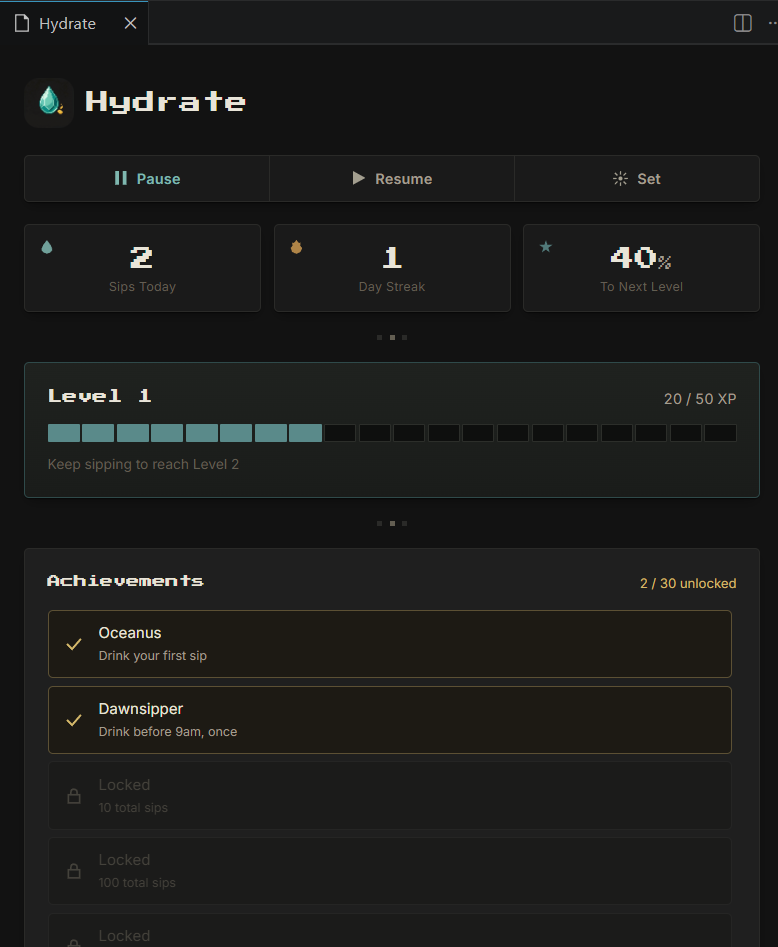
- Dashboard — a small retro-styled panel showing your stats, XP progress, and achievements at a glance
- Status bar countdown — always know how long until your next reminder
Getting started
- Install the extension
- A reminder will appear automatically based on your interval setting (default: every 60 minutes)
- Click Done when you drink, or Snooze to push it back
- Click the countdown in the status bar to open your dashboard

Snoozing lets you pick exactly how long to wait:

Dashboard
Click the status bar item (bottom of your VS Code window) to open the Hydrate dashboard:
- Sips today, day streak, and progress to next level at a glance
- An XP bar showing your current level and progress
- Your unlocked achievements, with locked ones shown alongside what’s needed to earn them
- Quick Pause, Resume, and Set Interval controls — no need to dig into settings
Commands
Open the Command Palette (Ctrl+Shift+P / Cmd+Shift+P) and search for:
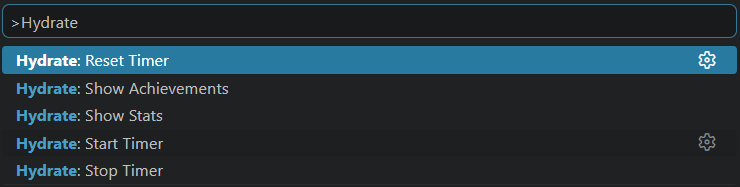
| Command | Description |
|---|---|
Hydrate: Start Timer |
Start hydration reminders |
Hydrate: Stop Timer |
Stop hydration reminders |
Hydrate: Reset Timer |
Restart the countdown to your next reminder |
Hydrate: Show Stats |
Open the dashboard |
Hydrate: Show Achievements |
View your achievement progress in a quick list |
Settings
Search for “Hydrate” in VS Code Settings (Ctrl+, / Cmd+,):
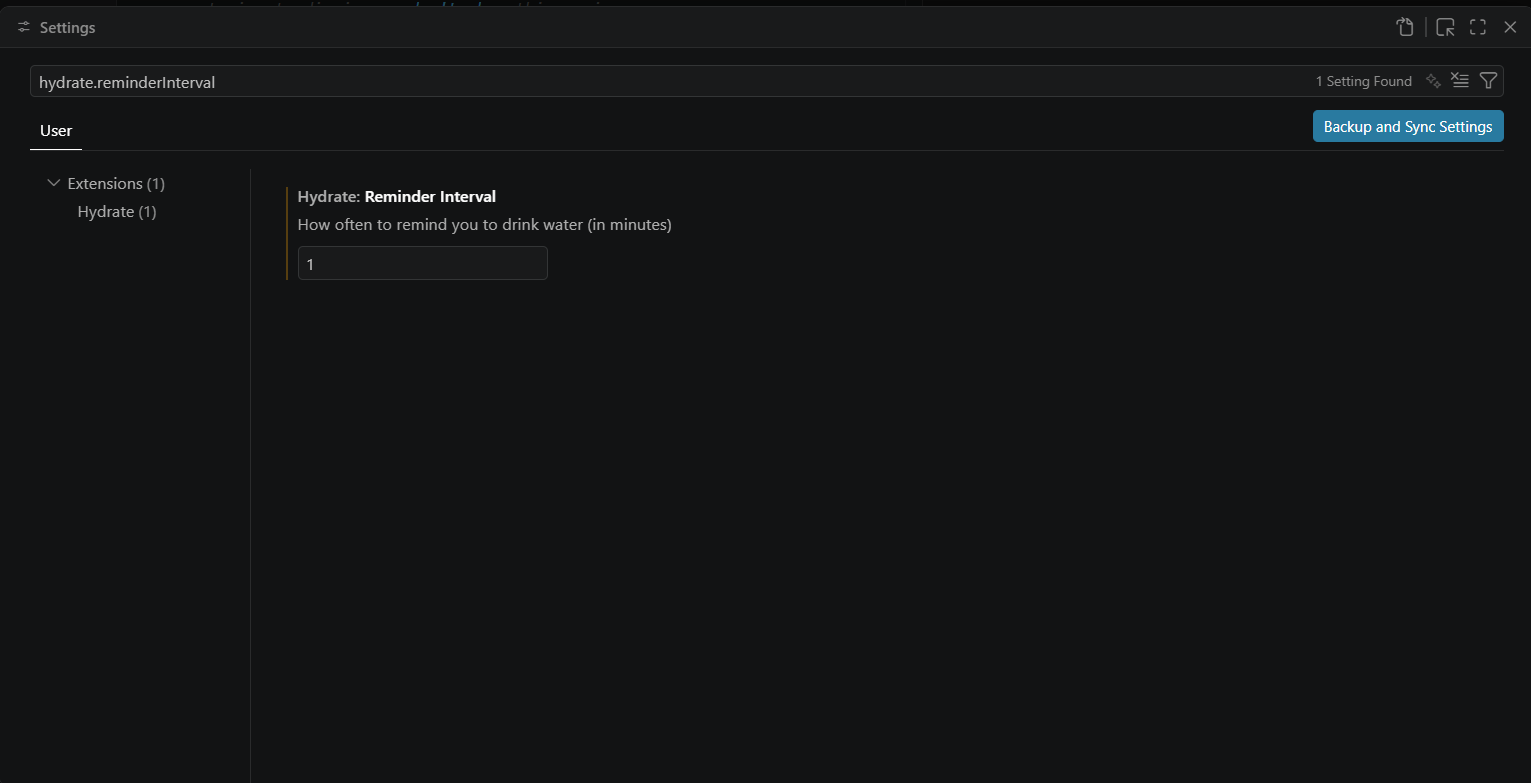
| Setting | Default | Description |
|---|---|---|
hydrate.reminderInterval |
60 |
How often you’re reminded, in minutes |
hydrate.reminderMessage |
Time to hydrate! |
The message shown in each reminder |
How XP and levels work
Every sip earns 10 XP. The XP needed for each level increases gradually, so early levels come quickly and later ones become a longer-term goal. There’s no level cap.


How streaks work
Drinking at least once in a day keeps your streak alive. Miss a full day, and it resets — but your best streak ever is always saved separately, so your top achievement stays unlocked even if your current streak breaks.
Achievements
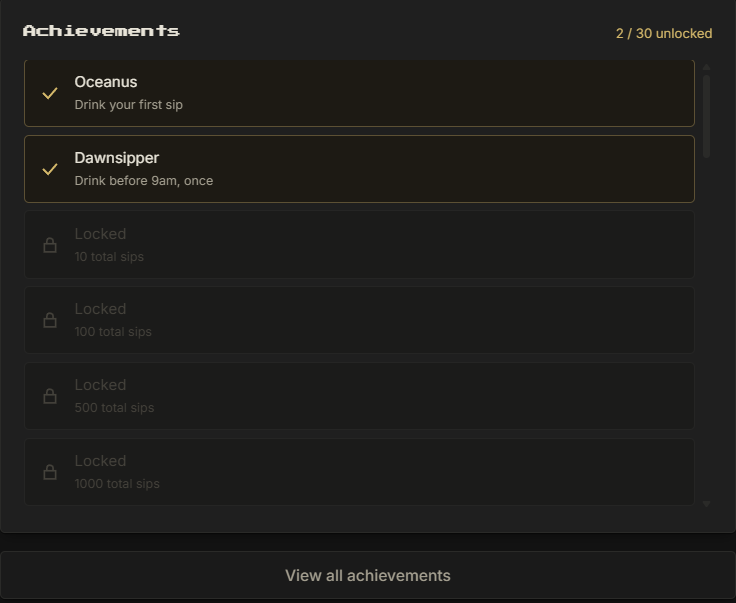
Thirty achievements span five categories: total sips, streaks, levels, early/late drinking habits, and snooze discipline. Some are serious milestones, a couple are just for fun. Unlock them by using Hydrate naturally — there’s no separate tracking required.
Unlocking one shows up right where you’re already working:

Privacy
Hydrate stores all of your stats locally on your machine using VS Code’s built-in storage. Nothing is sent anywhere.
Feedback
Found a bug or have an idea? Open an issue on GitHub.
Stay hydrated. Keep coding.